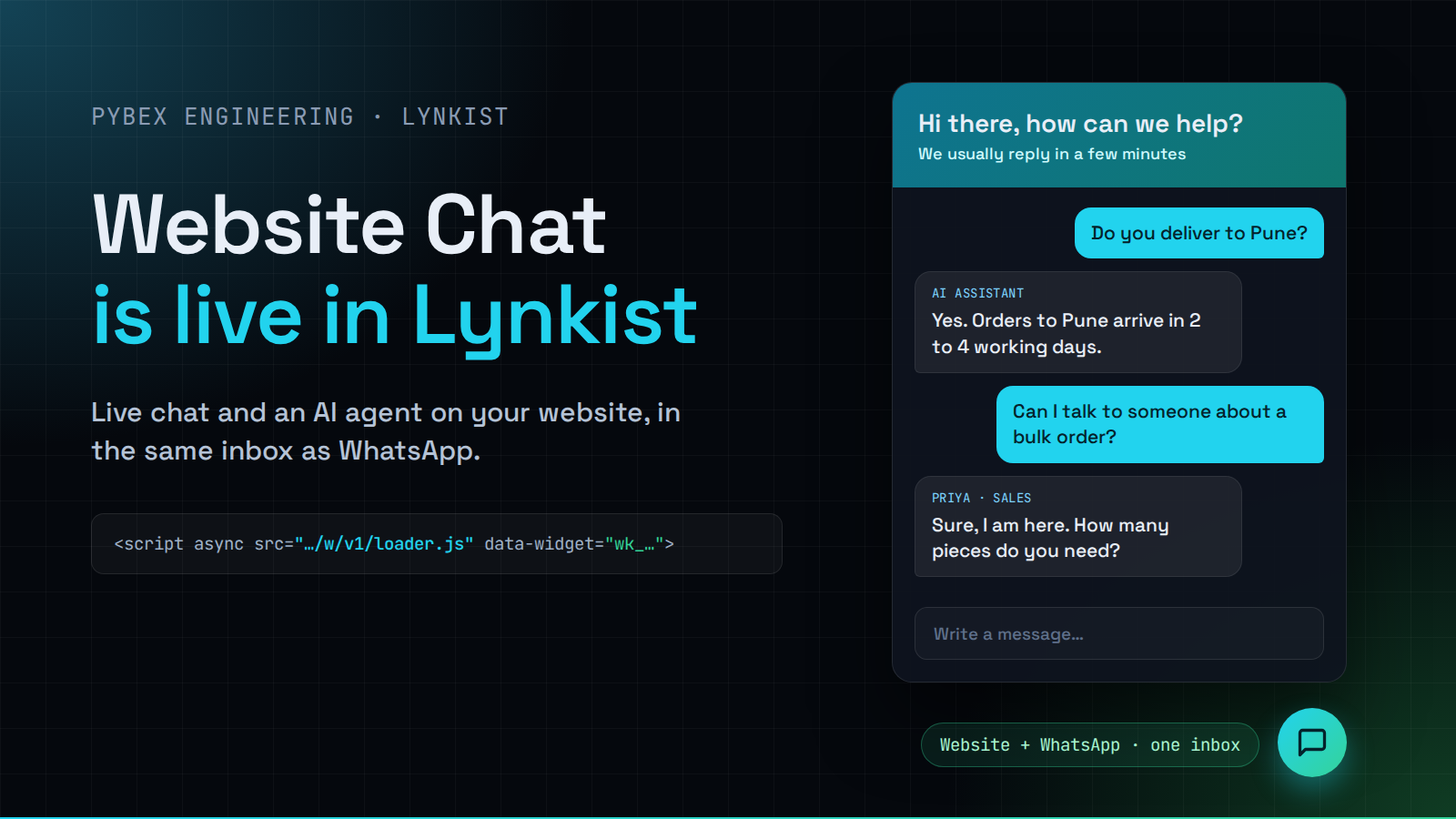
In short: Lynkist now does more than WhatsApp. Website Chat puts live chat and an AI agent on your website with one line of code, and every chat lands in the same inbox as your WhatsApp conversations. It is included in every WhatsApp plan, or on its own from ₹499 a month (excluding GST), with a 14-day free trial. We now run it on lynkist.io too — look for the button in the bottom corner.
We built Lynkist as a WhatsApp CRM, and our customers kept asking the same question: what about the people on our website? A visitor with a question about price, delivery or size usually leaves without asking. A separate live-chat tool means a second inbox, a second team login and a second set of contacts. Website Chat is our answer: one more channel in the inbox you already use.
What you get
One line to install
You create a widget in Channels → Website Chat, pick your colour, side, icon and words, and paste one line before the closing </body> tag:
<script async src="https://chat.lynkist.io/w/v1/loader.js" data-widget="wk_…"></script>
There are step-by-step guides for plain HTML, WordPress, Shopify, Wix, Webflow, Google Tag Manager and React. A Check my site button in the dashboard tells you whether it works. The chat shows only on the domains you allow.
An AI agent that knows when to stop
Your AI agent answers visitors in seconds, from your knowledge base and up to 100 pages of your own website that it reads for you (it follows your robots.txt). It does not answer from the open internet. When it is not sure, or the visitor asks for a person, it hands the chat to your team with the whole conversation — instead of guessing. Every AI answer carries an "AI assistant" label, so the visitor always knows who they are talking to.
Website and WhatsApp in one inbox
Website chats arrive in the shared inbox with a Website badge and a channel filter. Same team, same composer, same AI agent. A visitor who writes becomes a contact, like any WhatsApp customer.
No chat is lost
If the visitor has left when your team replies, the reply goes to the email address they confirmed in the chat, with a link that opens the same chat again.
The rest of what a small team needs
- Business hours and away mode — show an away message, ask for an email first, or hide the chat outside your hours.
- Pre-chat form — name, email, phone or company, with an optional consent checkbox and a link to your privacy policy.
- Quick replies — up to four buttons such as "Track my order".
- A chat link and QR code — every widget has its own chat page for a bio, an email signature or a printed receipt.
- Photos and files, in both directions.
- English and Hindi, from the visitor's browser setting.
- Draft, publish, roll back — change the widget with a live preview; visitors see it only when you publish.
Pricing
| Plan | Website Chat | Price (excl. GST) |
|---|---|---|
| Web Chat | 1 widget, 1 team member, 300 AI replies a month, no WhatsApp number | ₹499 / month |
| Starter | 1 widget, plus WhatsApp | ₹999 / month |
| Pro | 1 widget, plus WhatsApp | ₹2,999 / month |
| Business | 10 widgets in your own brand, plus WhatsApp | ₹8,999 / month |
Add-ons: Your own brand (removes "Powered by Lynkist") ₹499 a month, an extra widget ₹199 a month, and Website chat Advanced ₹999 a month — signed-in customers, page and device targeting, proactive messages and full chat analytics. AI packs add 1,000 replies a month for ₹699. Yearly billing gives two months free.
For developers: the npm package
If your site is a React or Next.js app, you can install the chat as a package instead of pasting the script tag. We published @lynkist/chat-widget on npm, MIT-licensed, with a typed API and React bindings:
npm install @lynkist/chat-widget
import { LynkistChat, useHideChat } from '@lynkist/chat-widget/react'

export default function RootLayout({ children }) {
  return (
    <html lang="en">
      <body>
        {children}
        <LynkistChat widgetKey="wk_…" />
      </body>
    </html>
  )
}

// On a page that must stay clean, such as checkout:
function Checkout() {
  useHideChat()
  return <CheckoutForm />
}
It is safe on the server (every function does nothing outside a browser), calls made before the widget loads wait in a queue, and the package has no dependencies. Each release is built and published from GitHub Actions with npm provenance, so npm audit signatures can check that the code on npm is the code in the public repository.
How it is built
A chat widget runs on someone else's website, next to code we do not control. That shaped most of our decisions.
- A small loader, an isolated chat window. The script you paste is under 10 KB gzipped and has no dependencies. It draws only the launcher button, inside a shadow DOM, so your site's CSS cannot break it and it cannot break yours. The chat window is an iframe on
chat.lynkist.io, loaded when the browser is idle. - Only on your domains. The allowed websites of a widget become the chat window's
frame-ancestorspolicy, so the browser itself refuses to show the chat on any other site. - Strict content rules inside the window. The chat window runs with no inline scripts or styles. Message text is never rendered as HTML; links are made from
httpandhttpsURLs only. The loader and the window talk overpostMessage, and each side accepts messages only from the other's origin. - Realtime with a safety net. New messages arrive over a WebSocket. After every reconnect, the window fetches what it missed since its last message, so a flaky mobile connection never loses a reply.
- No record for a page view. A visitor gets a session only when they open the chat. A visitor who never became a contact is deleted 30 days after their last visit.
What running it on our own site taught us
Putting Website Chat on lynkist.io — a Next.js app with a strict Content Security Policy and a cookie banner — was the best test we could give it. It changed the product in four ways, all now live for every customer:
- The chat tells you why it is not showing. A wrong domain or a CSP that blocks the chat used to fail in silence. Now the widget writes the reason to the browser console (
[Lynkist] …) and fires anerrorevent you can log. - Testing on localhost. A new Allow localhost for testing switch lets developers try the chat on
localhostor127.0.0.1, on any port, before they deploy. - Room for your cookie banner. A bottom bar sits exactly where the launcher is. One CSS variable,
--lynkist-chat-offset-bottom, lifts the launcher above it — and can follow the banner's own height. - Clear CSP guidance. Sites that use a nonce with
'strict-dynamic'now get a note in the install screen that explains which hosts to allow.
On lynkist.io the chat shows on every public page and stays out of the signed-in app and the sign-in screens. Our own team answers it from the same Lynkist inbox our customers use.
Try it
Start a 14-day free trial of the Web Chat plan, no card needed, or read more on the Website Chat page. Already on a WhatsApp plan? Website Chat is in your plan today: open Channels → Website Chat in your dashboard.
Want a walkthrough? Book a Lynkist demo — call or WhatsApp +91 84599 82986 — or just open the chat on lynkist.io and ask us there.
Pybex engineers write about what they build and operate: Lynkist, SECRR, Krrim and client systems. Work with the team →